The Invisible Threat: How to Detect Physical Keystroke Injection Implants

Background: In today's cybersecurity landscape, there are many attack types. One of them is hardware-based, which can be leveraged by threat actors to connect special keystroke injection devices into victim machines. As a result, malicious scenarios can be executed on target machines. Before jumping into the scope, let's understand the definition of hardware-based keystroke injection attacks.
Keystroke injection devices are special types of small embedded systems which can impersonate themselves as Human Interface Devices (HID). To the HID category, we can assign keyboards and other peripheral hardware.
Challenge: To defend against such attacks, several approaches exist. One method is to prevent any new device connections to the machine entirely. Another approach is to allow only whitelisted devices. However, what if you're operating in a large environment and face challenges managing devices due to the lack of control through Group Policy Objects (GPO) or Mobile Device Management (MDM) solutions?
For this reason, we aimed to explore the most practical and democratic method—one that strikes a balance between security, usability, and user comfort.
Scope: As a starting point, we evaluated various approaches on both Linux and macOS and identified two key indicators that can help detect the presence of such implants.
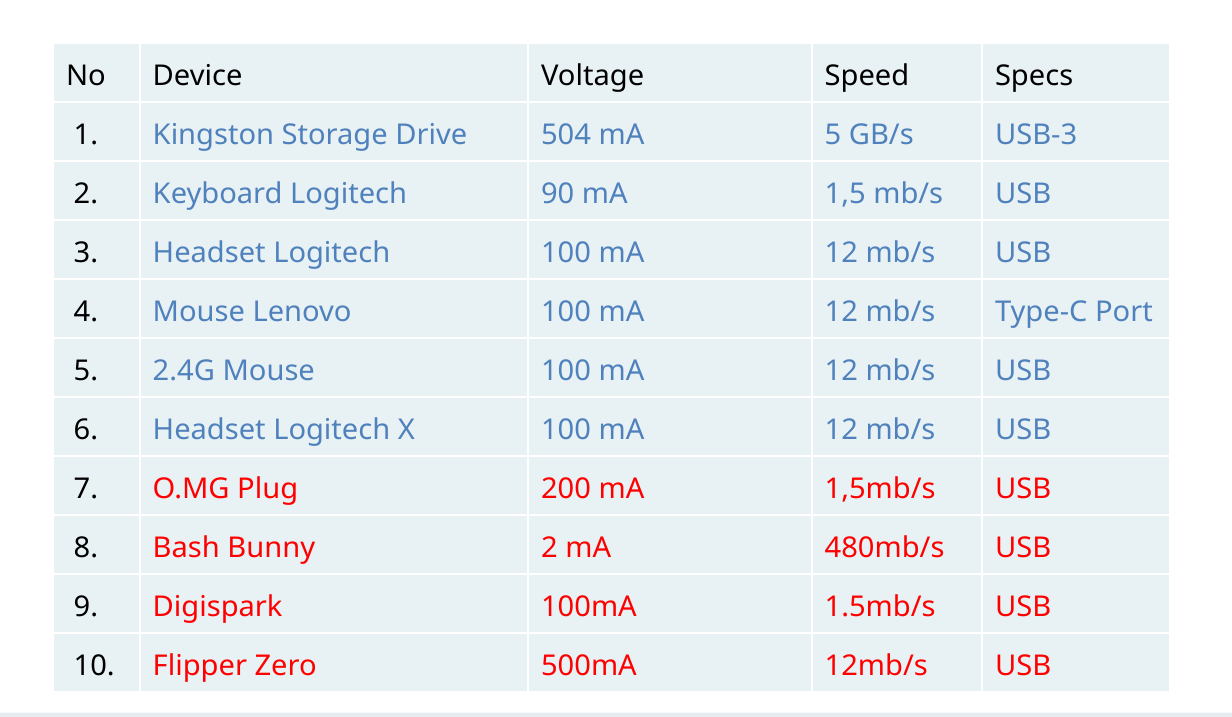
The first method involved analyzing the correlation between power consumption and USB communication speed. The second indicator focused on the traces and logs generated by the kernel when a device is connected.
Research result: We have identified that the specialized devices currently available on the market are relatively easy to detect based on power consumption and USB speed correlation.
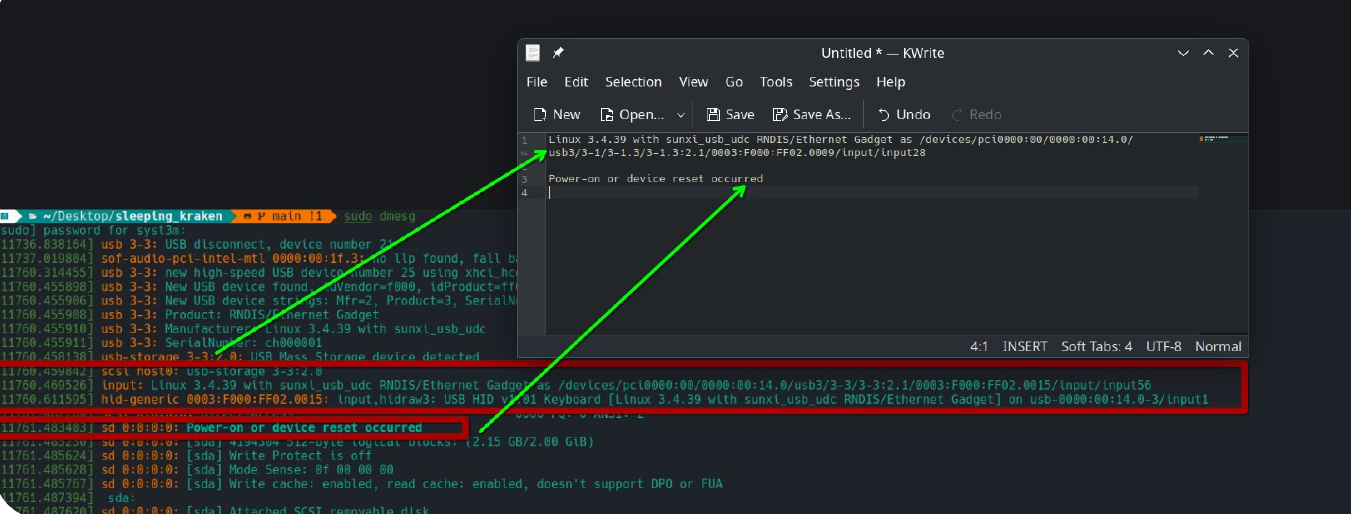
On the other hand, devices like Bash Bunny, Flipper Zero, and Digispark leave distinct traces in kernel logs.
Example of Bash Bunny.
It left traces like "Linux 3.4.9" and "Power-on or device reset occurred".
 In cases like Flipper Zero and Digispark, even if the vendor ID is changed, they still leave signs—such as the MFR key being set to 0—indicating a potentially suspicious device.

Detection implementation:
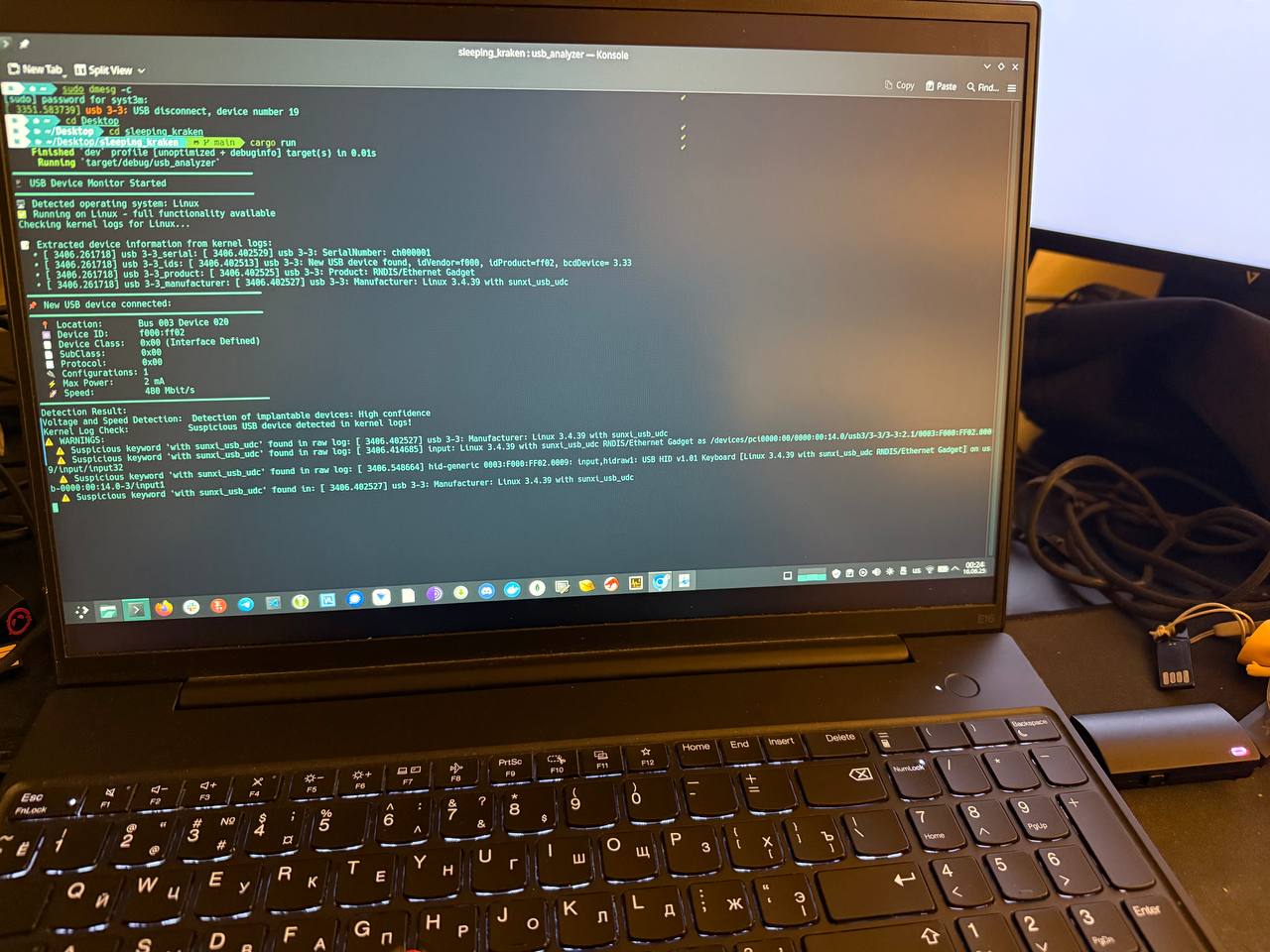
As a result of this research, an open-source tool called "Sleeping_Kraken" has been created, which listens to the port and when a device is connected, the tool shows notifications based on power consumption in correlation with USB speed and based on kernel logs left by USB implants.
Conclusion: This research will not provide you with high confidence of detection. But it will give you some confidence that the noted risk was somehow covered. However, having such detection will be a pretty good step to be prepared for efficient detection of such hardware keylogger attacks.