Decrypting Hope: Strategies for Recovery from Ransomware Encryption

Background: Sometimes, during incidents involving ransomware-related threat actors, the investigation into the recovery process can reveal solutions closer than you might think. It’s important to remember that paying the ransom is not always necessary to decrypt your sensitive files.
Before taking any action, especially involving ransom payments, ensure you thoroughly check technical options to confirm that recovery isn’t possible on your own. In this article, I will share one method and some tricks commonly used by lock operators that you can leverage for data recovery without resorting to paying the ransom.
Introduction: Sometimes, ransomware operators developing binaries designed to encrypt files aim to make their process smoother and evade detection from monitoring systems such as EDRs and other logging mechanisms. To achieve this, they may choose to encrypt only the file's header magic bytes, while leaving the main body of the file untouched.
Magic Bytes: Each file type/extension has its own unique identification in a binary view. This identification, often referred to as the file signature or magic bytes, typically varies from 4 bytes to 100 bytes or more. Usually, these signatures are located in the first few bytes of the file's binary representation.
Step 1 (Identification): Let’s simulate a ransomware attack targeting files . In this custom encryption scenario, we have targeted files with the .odt extension (LibreOffice).
Assuming the attack is planned to specifically target all files with the .odt extension, the result of the encryption process is that the files are renamed with a .evil extension. The attacker then demands payment to provide a decryption binary or key to restore the files.

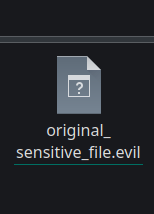
Now let's take a look to file hexcode . On a body we see that file body in untouched . It means that we have chance to decrypt file .
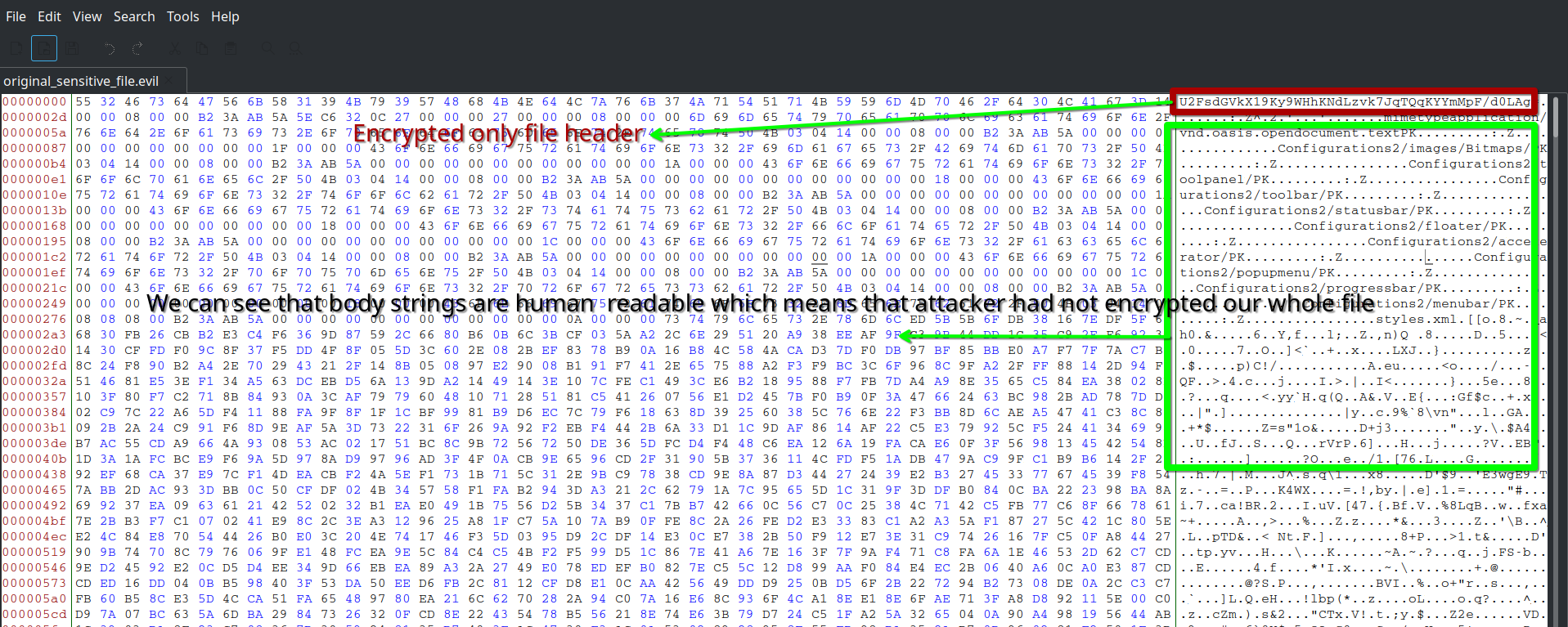
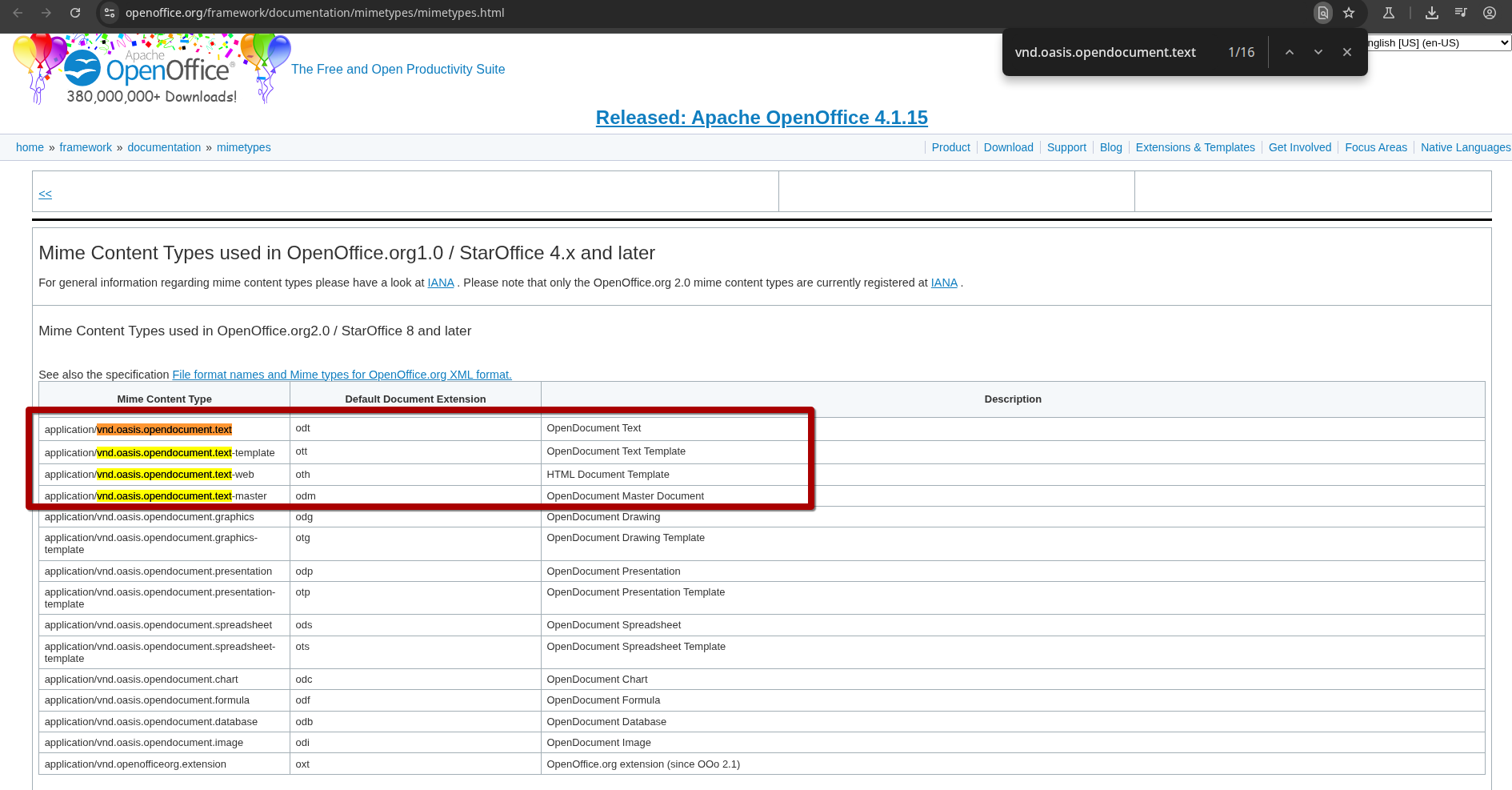
Let's deep dive into the body and one of the text is pretty interesting . It contains string "vnd.oasis.opendocument.textPK"

After googling it we can understand that file is related to OpenOffice especially odt .
Now need to find the magic bytes of odt files. We can use wikipedia or create new odt file then open it and take a look to first bytes .
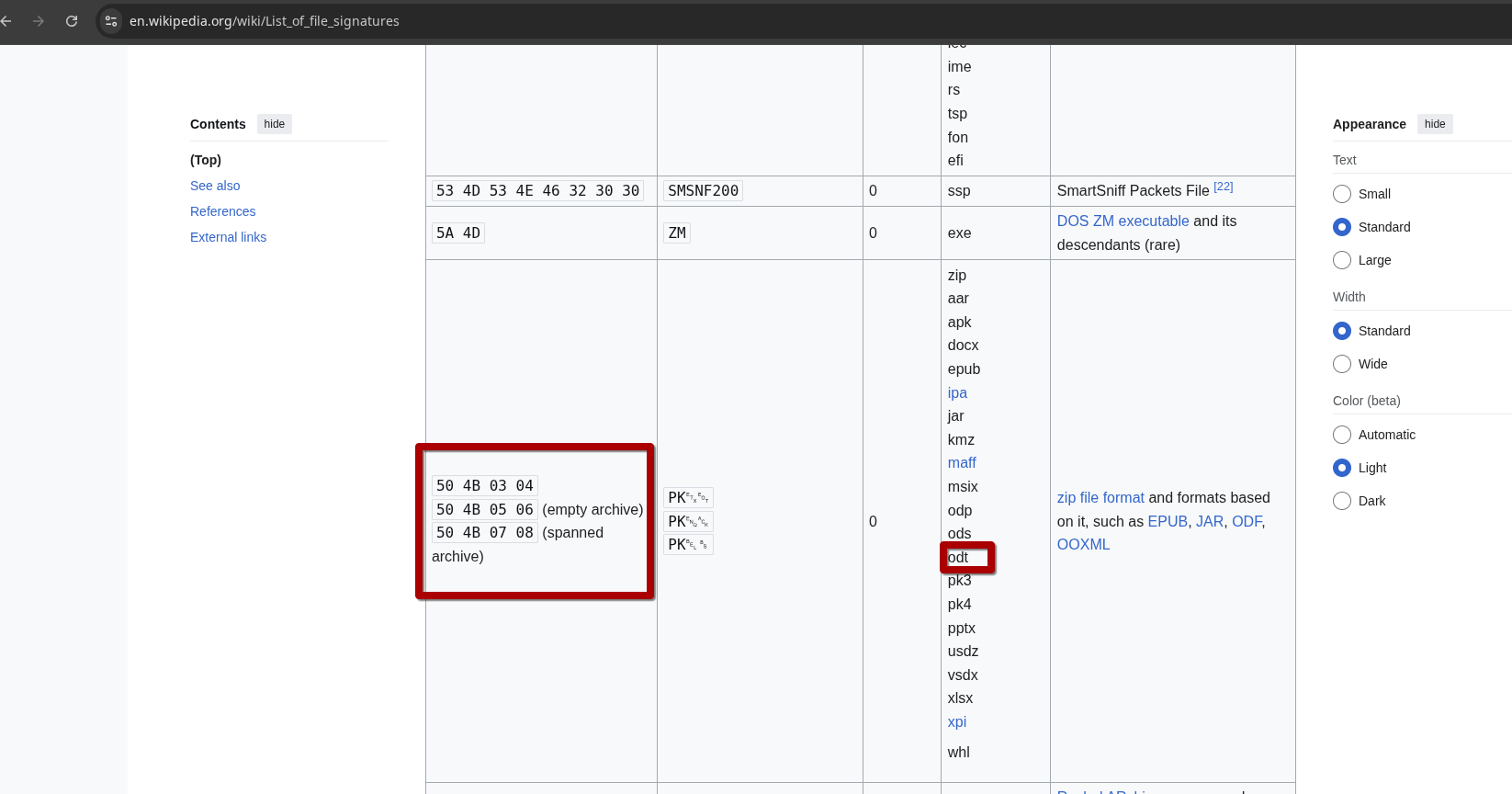
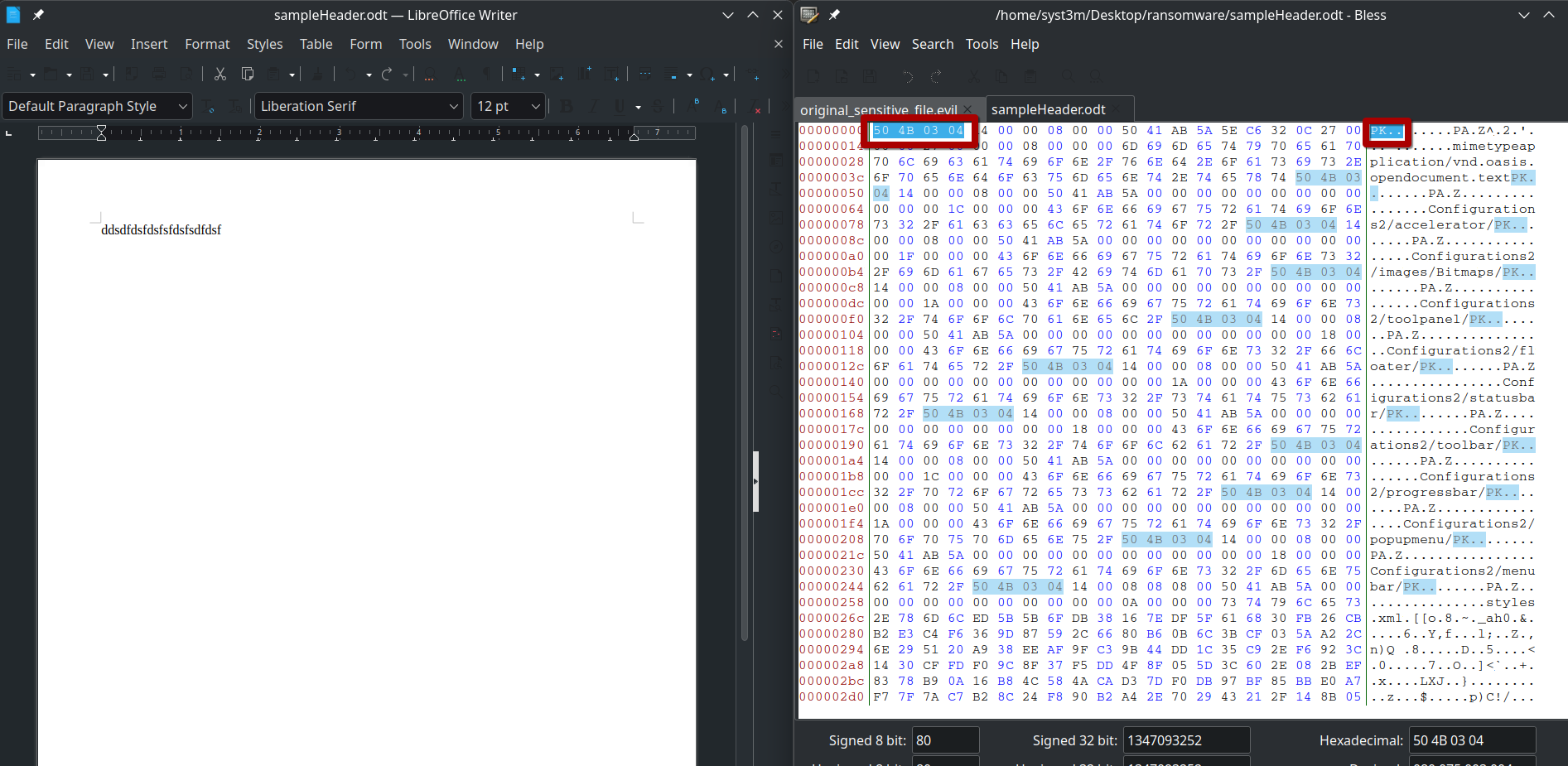
We have discovered that odt files magic numbers are started with 50 4B 03 04 hexacdecimal view .
Step 1 (Recovery):
Now let's take encrypted file header and replace with magic header with which start odt file .
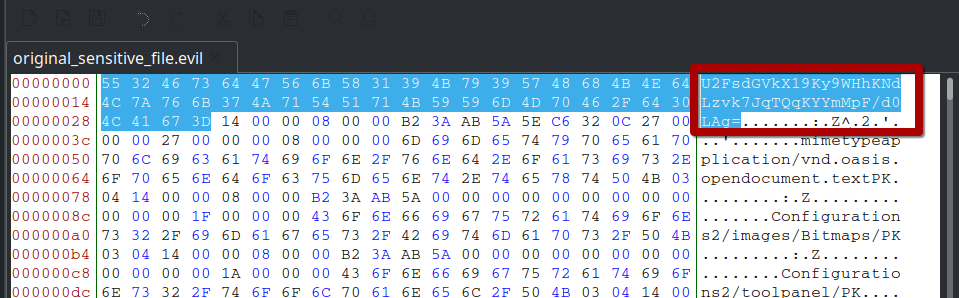
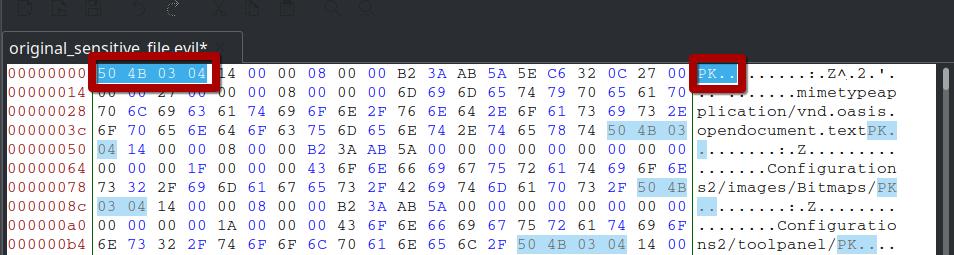
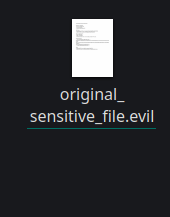
After saving, you will see that the operating system recognizes the file type and displays its thumbnail.
After opening file it will be executed
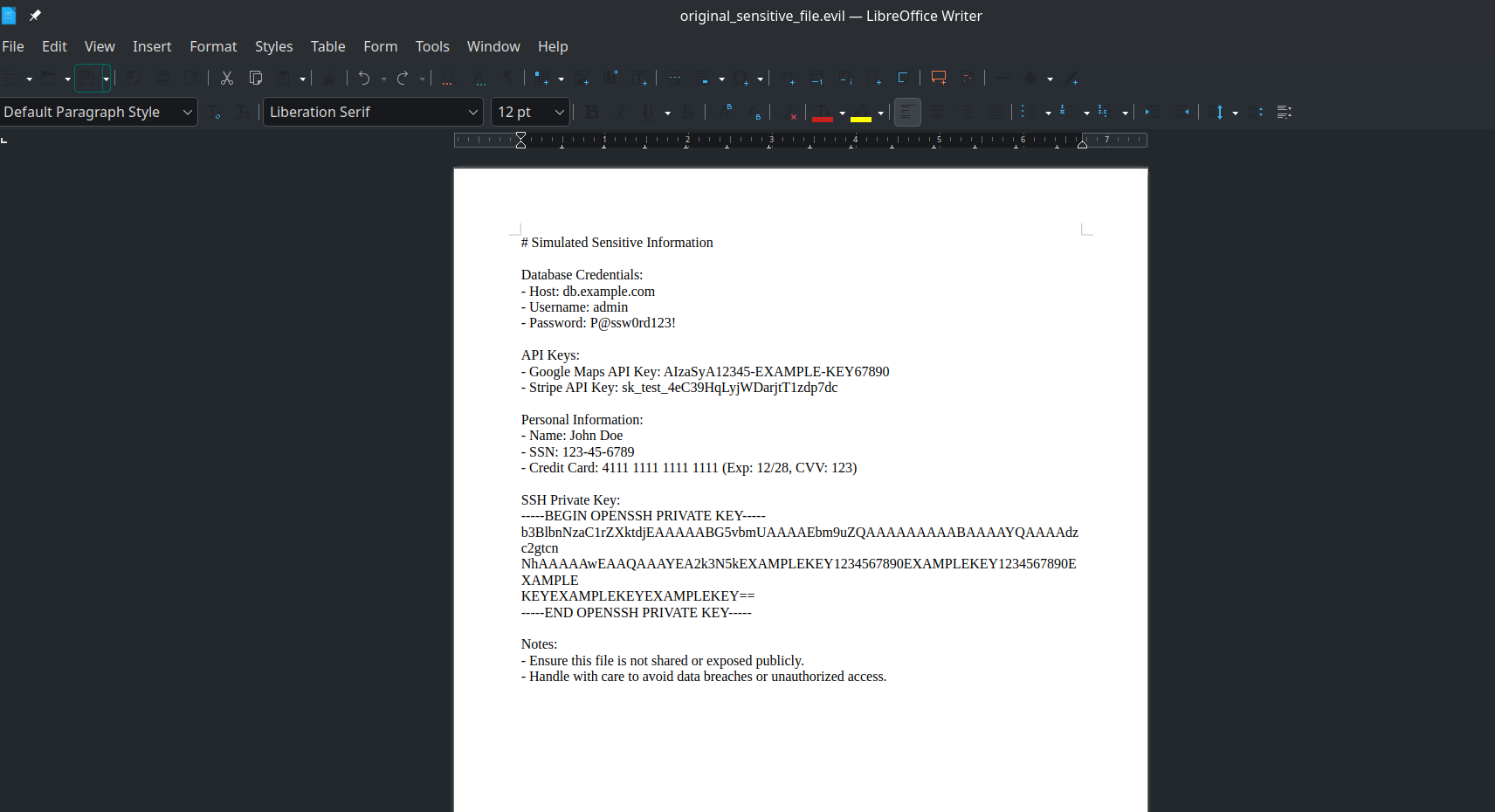
Boom! We recovered the file without paying a single penny!
Conclusion: This article demonstrated only one method, as there are multiple types of encryption found in the wild, many of which are extremely difficult to decrypt. Successfully reversing such encryption often requires advanced skills in binary reverse engineering and other specialized techniques.
Suggestion to Prevent Ransomware:
- Regular Backups: Maintain offline and cloud backups of critical data.
- Security Updates: Keep all operating systems and software up to date with the latest patches.
- Antivirus & EDR: Use reputable antivirus or endpoint detection and response (EDR) solutions.
- User Training: Educate employees about phishing, suspicious links, and social engineering.
- Multi-Factor Authentication (MFA): Enforce MFA on all sensitive accounts and remote access systems.
Happy Hunt ! j0keR