Forensics of Operating System Agentic AI Activity Traces [Part 2]
![Forensics of Operating System Agentic AI Activity Traces [Part 2]](https://threat.boutique/content/images/20260315165342-image.jpg)
Background:
During our previous article, we discovered the steps to reveal the root cause of the incident that involved the Claude AI agentic desktop. Over this article we shall discuss google gemini cli .
Google Gemini Cli:
Because Google Gemini is an NPM package, we can assume that the parent process for some actions should be Node.js.
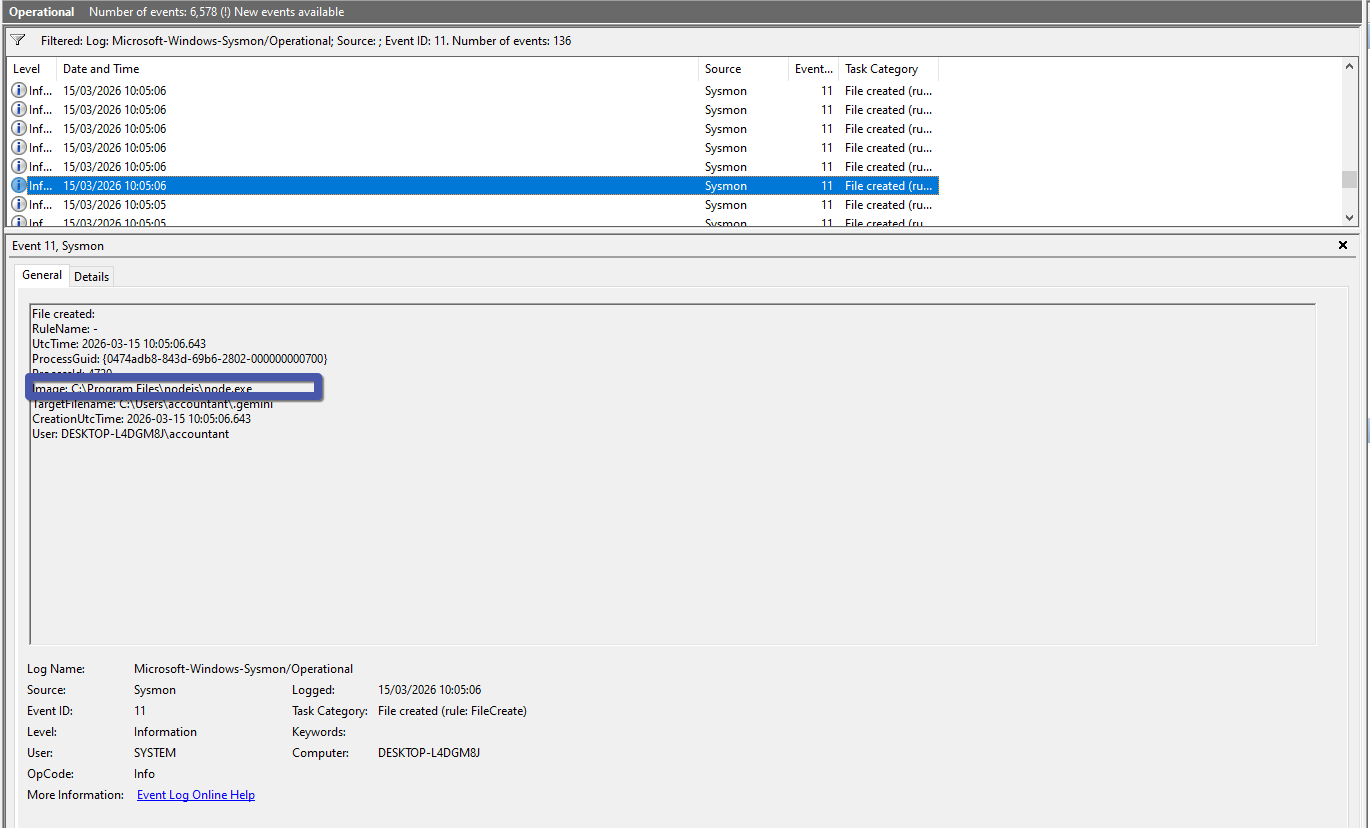
Google Gemini CLI stores all of its configuration files inside a special folder for Windows, which is located at CurrentUser/.gemini
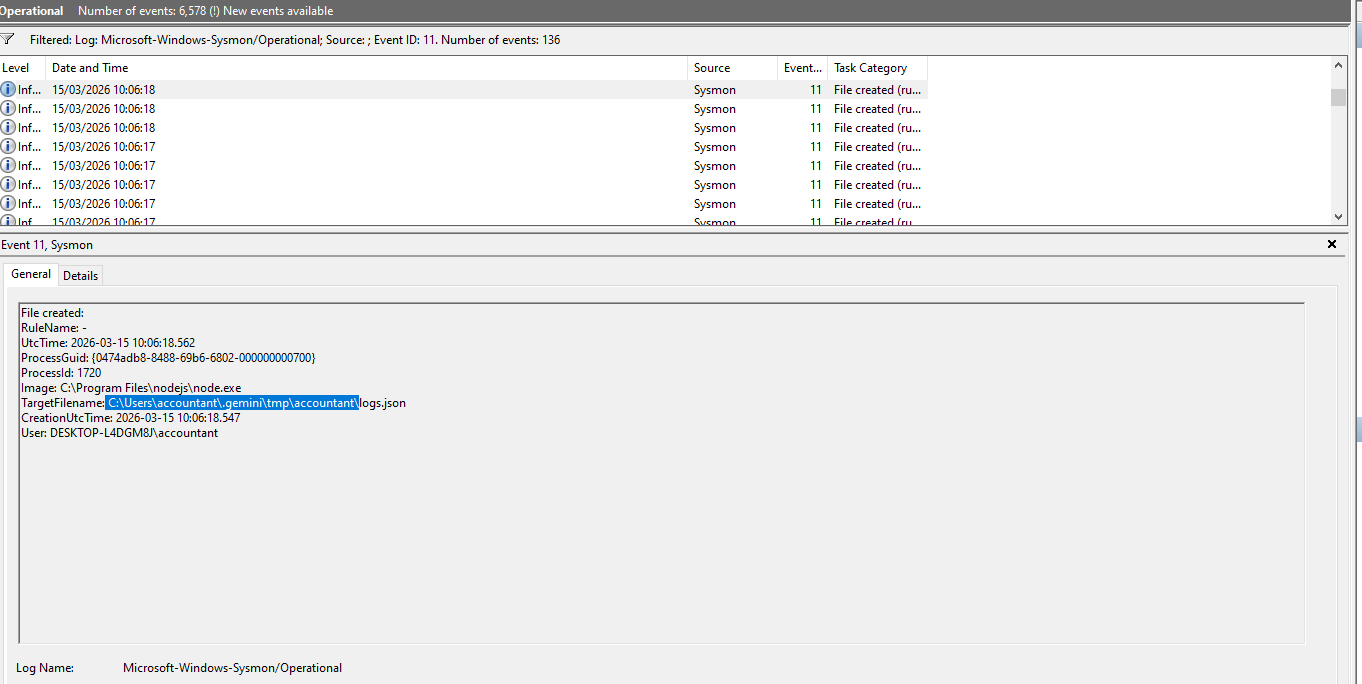
Having said that, during forensic activities we can also recover the chat history from C:\Users\CurrentUser.gemini\tmp\CurrentUser\chats.
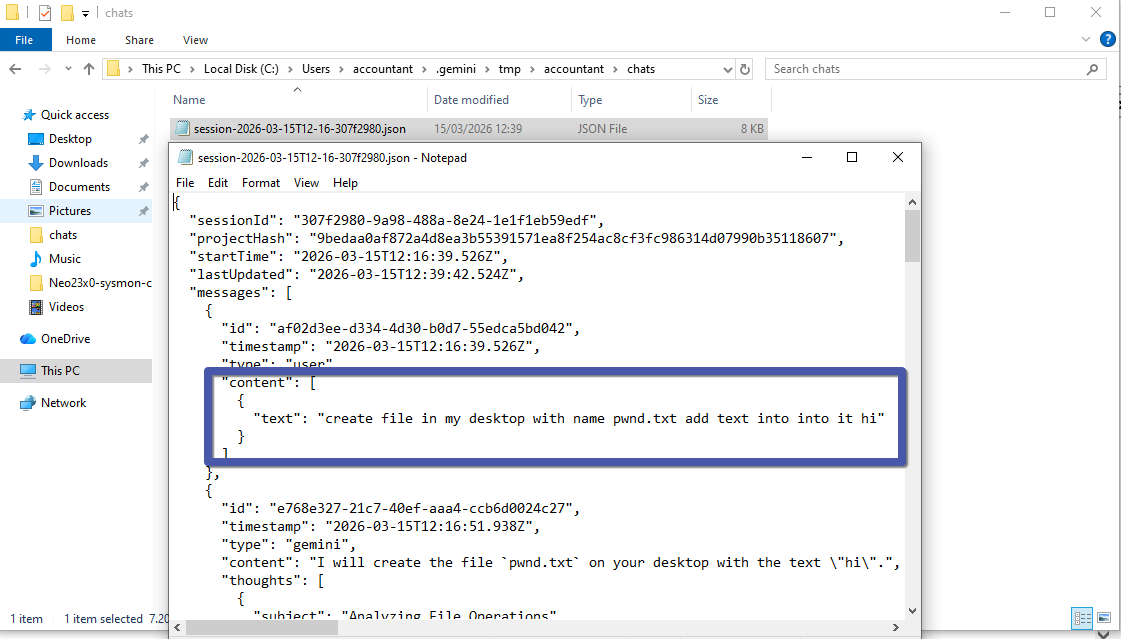
Because of the nature of this specific file, it is not easy to detect—even when using Sysmon or other classic event tracers. In such situations, you need to tune your own EDR to capture these types of logs.
Conclusion:
The .gemini folder, particularly the contents within its tmp subdirectory, can yield valuable forensic evidence such as chat histories. However, due to the inconspicuous nature of these files, standard tools like Sysmon may not suffice to detect relevant activity. Therefore, it is important to customize your EDR solutions to monitor and log interactions within these specific directories.